
Free module · Professional plan
Goods receiving: supplier delivery notes, purchase orders and transfers
Check in everything that arrives at your shop, from a supplier or another warehouse, by scanning each item from the POS. Discrepancies are flagged and stock updates instantly. Free on the Professional plan.
No commitment · We reply within 24/48 h
Supplier delivery notesCheck in the supplier's delivery note as it arrives
Purchase ordersCompare what arrived with what you ordered
Warehouse transfersConfirm goods arriving from another shop or warehouse
Everything that comes into your shop, under control from the first box
When goods arrive, the usual routine is to count by eye, sign the delivery note and enter the stock later, by hand. That is how mistakes slip in: missing units, items nobody ordered or transfers that were never confirmed.
With the Goods receiving module you check in stock from your shop's POS in three ways: from a supplier delivery note, from a purchase order or from a warehouse transfer. You scan each item, the system flags any discrepancies and, when you confirm, adds the units to stock.
Problems we solve
Orders arrive incomplete and I don't notice
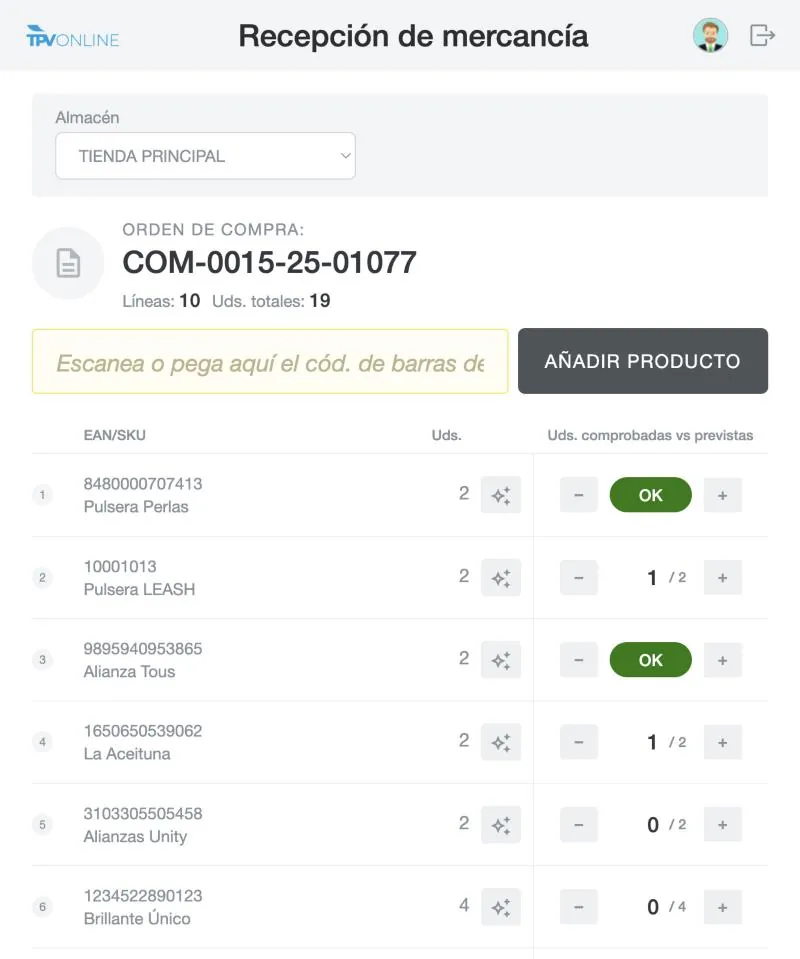
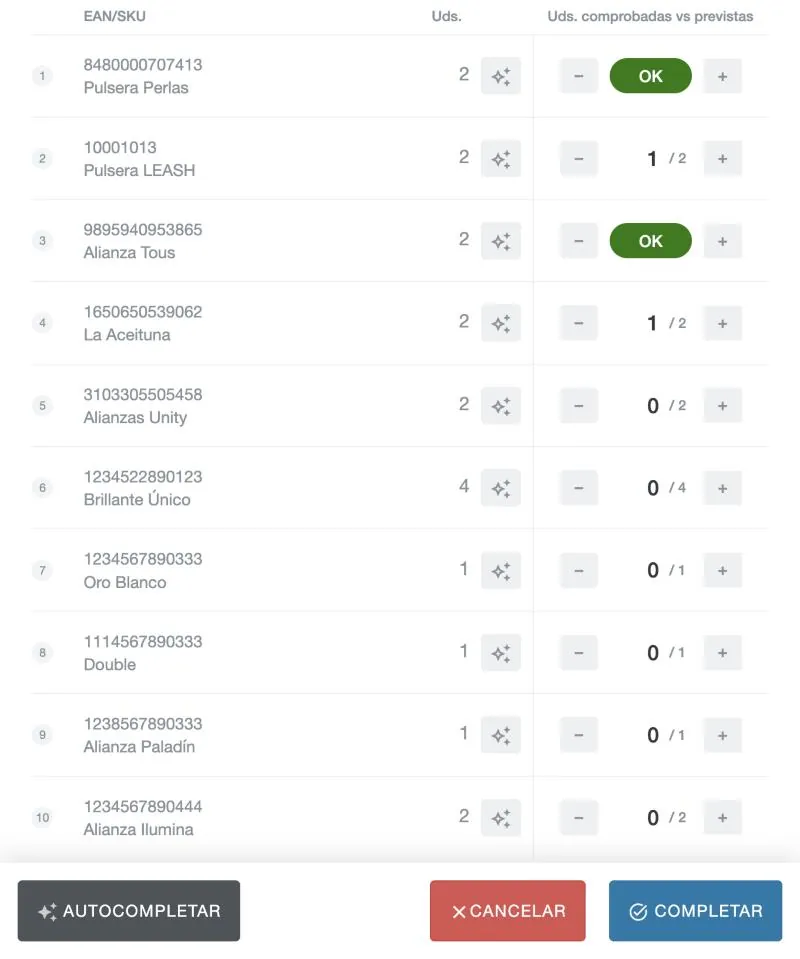
When you receive a purchase order, each item is compared with what was ordered and discrepancies are shown before you confirm.
I enter delivery notes by hand and make mistakes
Check in the delivery note by scanning the items: the units are added to the shop's stock automatically.
I don't know if what I sent from another shop has arrived
Warehouse transfers stay in transit until the destination shop confirms receipt.
How it works
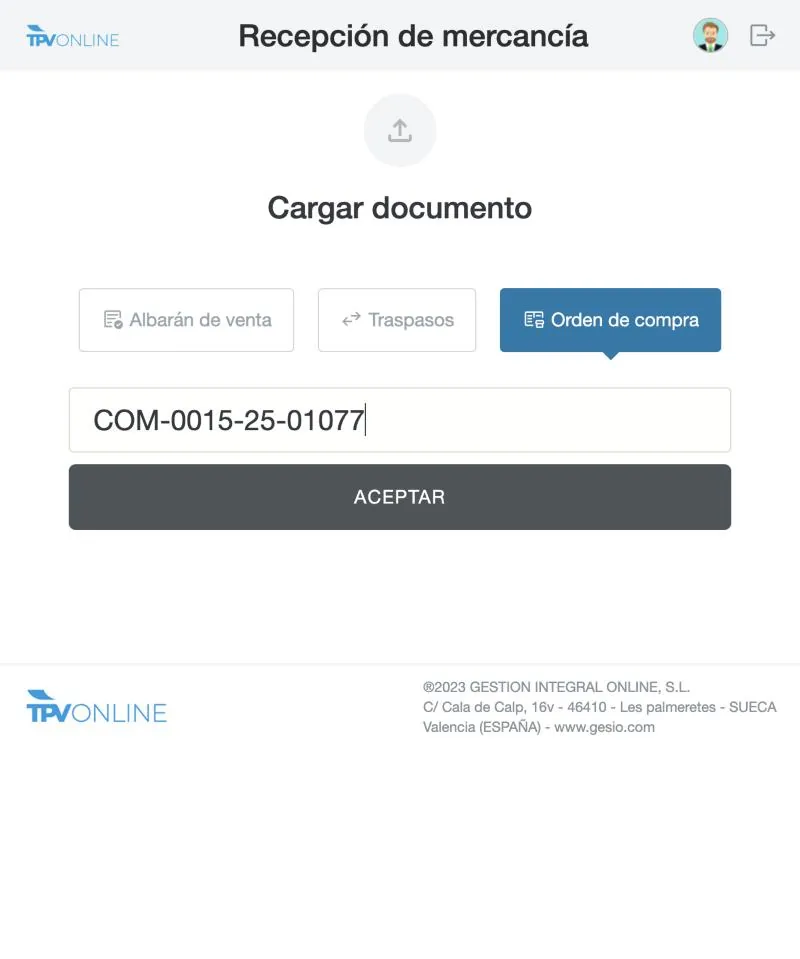
Receive an order in three steps
Features
Everything it includes
Receiving by supplier delivery note
Record the supplier's delivery note with its items and quantities as you unload the goods.
Receiving by purchase order
Start from the order to the supplier and tick off what arrives, including partial deliveries.
Warehouse transfers
Confirm at the destination the goods sent from another shop or warehouse, with control of what is in transit.
Barcode scanner
Scan each item with the scanner or the camera to count without errors.
Discrepancy control
Too many units, too few or unexpected items, flagged before you confirm.
Instant stock
When you confirm, the shop's stock updates in real time, including your connected online store.
FAQ
Your questions answered
How much does the Goods receiving module cost?
It is free for customers on the Professional and Multi-store plans. It is not available on the Essential plan.
What types of receiving does it support?
Three: receiving by supplier delivery note, by purchase order and by transfer between warehouses or shops.
Do I need a barcode scanner?
It is the most convenient option, but you can also search for items by name or reference. If you need a scanner, we can advise you from our hardware catalogue.
Is stock updated automatically?
Yes. When you confirm the receipt, the units are added to the shop's stock in real time, including your connected online store.
You may also be interested in
Free demo
See your shop running on TPV Online
Tell us what you sell and how you work. A consultant will contact you within 24/48 h to show you the POS set up for your sector.
- Personalised online demo
- Clear, no-obligation quote
- Review of your VeriFactu situation
 +34 963 32 90 20